---
title: "Video Tutorials: Connect Precoro to QuickBooks Online"
description: Watch short videos on connecting Precoro to QuickBooks Online (QBO) and importing your suppliers, General Ledger (GL) accounts, and other lists, so your purchasing and accounting teams work with the same data.
---
[Skip to content](https://help.precoro.com/video-tutorials-connect-precoro-to-quickbooks-online#main-content)
[Contact us](https://help.precoro.com/kb-tickets/new?hsLang=en) [Customer portal](https://help.precoro.com/tickets-view?hsLang=en)
[](https://app.precoro.com/login)
Open main navigation
Close main navigation
- [Contact us](https://help.precoro.com/kb-tickets/new)
- [Customer portal](https://help.precoro.com/tickets-view)
- [Contact Us](https://share.hsforms.com/1-5JilMA_Qv6AOSVjFtNhDg14slf)
[Contact Us](https://share.hsforms.com/1-5JilMA_Qv6AOSVjFtNhDg14slf)
Hi there! How can we help you today?
- There are no suggestions because the search field is empty.
1. [Knowledge Base](https://help.precoro.com/?hsLang=en)
2. [Precoro Integrations](https://help.precoro.com/precoro-integrations?hsLang=en)
3. [QuickBooks Online Integration](https://help.precoro.com/precoro-integrations?hsLang=en#quickbooks-online-integration)
# Video Tutorials: Connect Precoro to QuickBooks Online
## Learn how to connect Precoro to QuickBooks Online (QBO) and import suppliers, accounts, and other lists.
**⚠️** The interface shown in this video may differ from your current Precoro account, as the product is updated regularly.
**TABLE OF CONTENTS**
- [Connecting Precoro to QBO](https://help.precoro.com/video-tutorials-connect-precoro-to-quickbooks-online#connect)
- [Importing Lists from QBO](https://help.precoro.com/video-tutorials-connect-precoro-to-quickbooks-online#import)
### Connecting Precoro to QBO | 1-Minute Watch
In this **1-minute** video, you'll see how to connect your QBO account to Precoro and set up the data your purchasing and accounting teams share.
For step-by-step written instructions, see [this article](https://help.precoro.com/establishing-integration-with-quickbooks-online#how-to-integrate).
**By the end of the video, you'll know how to:**
- Connect your QBO account from **Configuration → Integrations** in Precoro.
- Sign into your QuickBooks Online account via Precoro to finalize the connection and pull information from your ERP system.
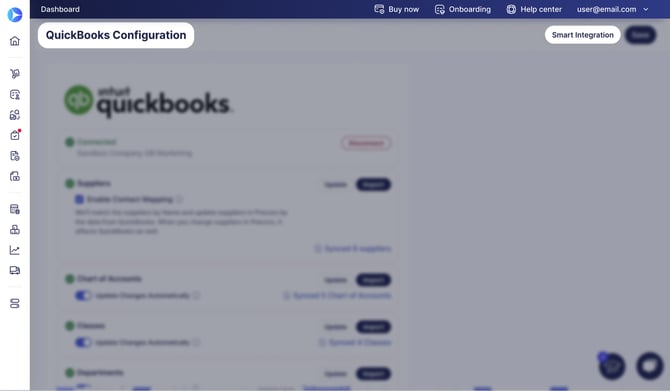
**💡Tip:** Set up your data in one click with [Smart Integration](https://help.precoro.com/smart-integration-quickbooks-online#smart-integration-process). Precoro imports only the suppliers, items, taxes, and accounts you've used in QBO over the last 12 months.
[](https://help.precoro.com/hubfs/Smart%20Int%20QBO.jpg?hsLang=en)
To choose exactly what to import, import each list separately, as shown in the next video.
### Importing Lists from QBO | 3-Minute Watch
In this **3-minute** video, you'll see how to import your QBO lists into Precoro one by one if you want to control exactly which suppliers, accounts, and other records you bring in.
For step-by-step written instructions, see [Chart of Accounts, Classes, Customers, Billable Fields, and Projects in QuickBooks](https://help.precoro.com/chart-of-accounts-classes-customers-and-projects-in-quickbooks-1#Import).
**By the end of the video, you'll know how to:**
- Open the QBO update settings in the **Configuration** module.
- Import all or some of your suppliers from QBO.
- Map existing suppliers by matching their exact name and currency in both systems.
- Keep supplier updates in sync between Precoro and QBO with two-way synchronization.
- Import your Chart of Accounts to use General Ledger (GL) accounts as item custom fields.
- Import and map customers, taxes, departments, and projects.
- [Precoro Setup](https://help.precoro.com/precoro-setup?hsLang=en#main-content)
- [Configurations](https://help.precoro.com/precoro-setup?hsLang=en#configurations)
- [User Management](https://help.precoro.com/precoro-setup?hsLang=en#user-management)
- [Custom Fields and Forms](https://help.precoro.com/precoro-setup?hsLang=en#custom-fields-and-forms)
- [Supplier management](https://help.precoro.com/precoro-setup?hsLang=en#supplier-management)
- [Working with Items](https://help.precoro.com/precoro-setup?hsLang=en#working-with-items)
- [Approval Workflow](https://help.precoro.com/precoro-setup?hsLang=en#approval-workflow)
- [Location Management](https://help.precoro.com/precoro-setup?hsLang=en#location-management)
- [Precoro Payments](https://help.precoro.com/precoro-setup?hsLang=en#precoro-payments)
- [Two-factor authentication](https://help.precoro.com/precoro-setup?hsLang=en#two-factor-authentication)
- [Security](https://help.precoro.com/precoro-setup?hsLang=en#security)
- [US Based Server](https://help.precoro.com/precoro-setup?hsLang=en#us-based-server)
- [How to use Precoro](https://help.precoro.com/how-to-use-precoro?hsLang=en#main-content)
- [Warehouse Requests](https://help.precoro.com/how-to-use-precoro?hsLang=en#warehouse-requests)
- [Requests for Proposals](https://help.precoro.com/how-to-use-precoro?hsLang=en#requests-for-proposals)
- [Purchase Requisitions](https://help.precoro.com/how-to-use-precoro?hsLang=en#purchase-requisitions)
- [Purchase Orders](https://help.precoro.com/how-to-use-precoro?hsLang=en#purchase-orders)
- [Service Orders](https://help.precoro.com/how-to-use-precoro?hsLang=en#service-orders)
- [Receipts](https://help.precoro.com/how-to-use-precoro?hsLang=en#receipts)
- [Invoices](https://help.precoro.com/how-to-use-precoro?hsLang=en#invoices)
- [Expenses](https://help.precoro.com/how-to-use-precoro?hsLang=en#expenses)
- [Budgeting](https://help.precoro.com/how-to-use-precoro?hsLang=en#budgeting)
- [Inventory](https://help.precoro.com/how-to-use-precoro?hsLang=en#inventory)
- [Reports](https://help.precoro.com/how-to-use-precoro?hsLang=en#reports)
- [AP Inbox and Intelligent AP Automation](https://help.precoro.com/how-to-use-precoro?hsLang=en#ap-inbox-and-intelligent-ap-automation)
- [Working with documents](https://help.precoro.com/how-to-use-precoro?hsLang=en#working-with-documents)
- [Suppliers Portal](https://help.precoro.com/how-to-use-precoro?hsLang=en#suppliers-portal)
- [Supplier Registration](https://help.precoro.com/how-to-use-precoro?hsLang=en#supplier-registration)
- [Attachments, Filters, and Search](https://help.precoro.com/how-to-use-precoro?hsLang=en#attachments-filters-and-search)
- [Mobile App](https://help.precoro.com/how-to-use-precoro?hsLang=en#mobile-app)
- [FAQs and Troubleshooting](https://help.precoro.com/how-to-use-precoro?hsLang=en#faqs-and-troubleshooting)
- [Precoro Integrations](https://help.precoro.com/precoro-integrations?hsLang=en#main-content)
- [QuickBooks Online Integration](https://help.precoro.com/precoro-integrations?hsLang=en#quickbooks-online-integration)
- [NetSuite Integration](https://help.precoro.com/precoro-integrations?hsLang=en#netsuite-integration)
- [Xero Integration](https://help.precoro.com/precoro-integrations?hsLang=en#xero-integration)
- [API Requests and Webhooks](https://help.precoro.com/precoro-integrations?hsLang=en#api-requests-and-webhooks)
- [SSO Setting](https://help.precoro.com/precoro-integrations?hsLang=en#sso-setting)
- [Google Integration](https://help.precoro.com/precoro-integrations?hsLang=en#google-integration)
- [Power BI](https://help.precoro.com/precoro-integrations?hsLang=en#power-bi)
- [Integration with Slack](https://help.precoro.com/precoro-integrations?hsLang=en#integration-with-slack)
- [PunchOut Catalogs](https://help.precoro.com/precoro-integrations?hsLang=en#punchout-catalogs)
- [Integrations via Connectors](https://help.precoro.com/precoro-integrations?hsLang=en#integrations-via-connectors)
- [Bill.com Integration](https://help.precoro.com/precoro-integrations?hsLang=en#bill-com-integration)
- [Integration with Microsoft Teams](https://help.precoro.com/precoro-integrations?hsLang=en#integration-with-microsoft-teams)
- [Precoro Updates](https://help.precoro.com/precoro-updates?hsLang=en#main-content)
- [Releases, 2026](https://help.precoro.com/precoro-updates?hsLang=en#releases-2026)
- [Releases, 2025](https://help.precoro.com/precoro-updates?hsLang=en#releases-2025)
- [Releases, 2024](https://help.precoro.com/precoro-updates?hsLang=en#releases-2024)
- [Releases, 2023](https://help.precoro.com/precoro-updates?hsLang=en#releases-2023)
- [API Updates](https://help.precoro.com/precoro-updates?hsLang=en#api-updates)
- [General changes](https://help.precoro.com/precoro-updates?hsLang=en#general-changes)
[](https://precoro.com/)
Copyright © 2026, Precoro
```json
{
"@context" : "https://schema.org",
"@type" : "VideoObject",
"contentUrl" : "https://1903299.fs1.hubspotusercontent-na1.net/hubfs/1903299/video_assets/223408164749/inherited/web_optimized.mp4",
"dateModified" : "2026-10-02T11:51:04.148Z",
"duration" : "PT39S",
"height" : 1012,
"name" : "How to connect QBO",
"thumbnailUrl" : "https://1903299.fs1.hubspotusercontent-na1.net/hubfs/1903299/How%20to%20connect%20QBO.mp4/medium.jpg",
"uploadDate" : "2026-10-02T11:51:04.146Z",
"width" : 1920
}
```
```json
{
"@context" : "https://schema.org",
"@type" : "VideoObject",
"contentUrl" : "https://1903299.fs1.hubspotusercontent-na1.net/hubfs/1903299/video_assets/223616803853/inherited/web_optimized.mp4",
"dateModified" : "2026-10-05T08:54:22.274Z",
"duration" : "PT2M27S",
"height" : 1012,
"name" : "How to Import Lists from QBO (Suppliers, Chart of Accounts, etc.)",
"thumbnailUrl" : "https://1903299.fs1.hubspotusercontent-na1.net/hubfs/1903299/How%20to%20Import%20Lists%20from%20QBO%20(Suppliers%2c%20Chart%20of%20Accounts%2c%20etc.).mp4/medium.jpg",
"uploadDate" : "2026-10-05T08:54:22.272Z",
"width" : 1920
}
```