
TABLE OF CONTENTS
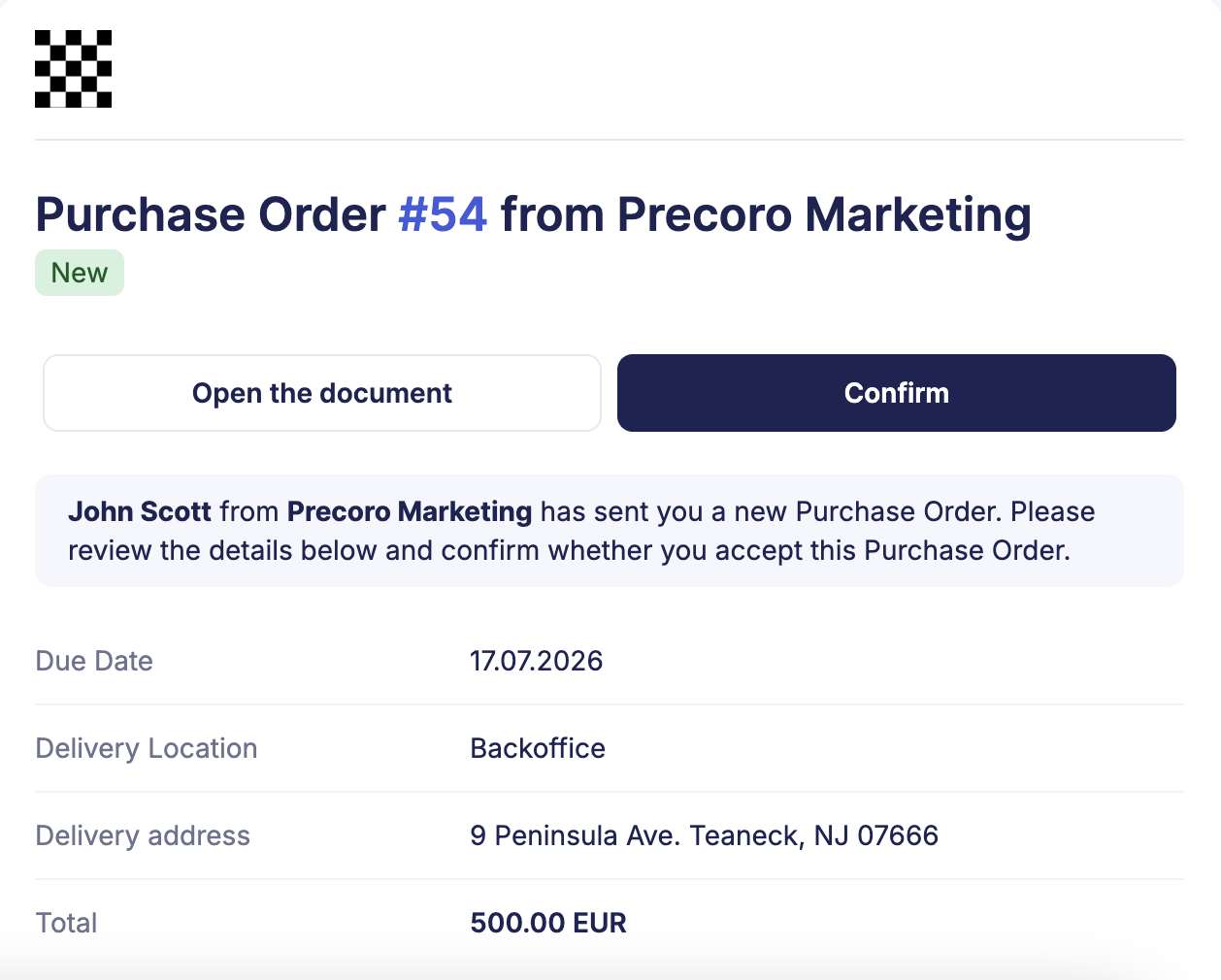
New Look for Emails
We’ve updated Precoro’s email design to make communications with you and your suppliers clearer, more informative, and more professional. We’ve also added the most anticipated features—learn more in the sections below.
Stand Out in Suppliers’ Inboxes—Add Your Logo
Now, the company logo you set in Configuration → Basic Settings will be added to the emails Precoro sends to your suppliers, for example, when you create a new purchase order.
For multi-entity companies, Precoro will add the legal entity’s logo to the order. To add or update the branding, please find LE settings in Configuration → Legal Entities.
Instantly See Approval Progress in Emails to Approvers
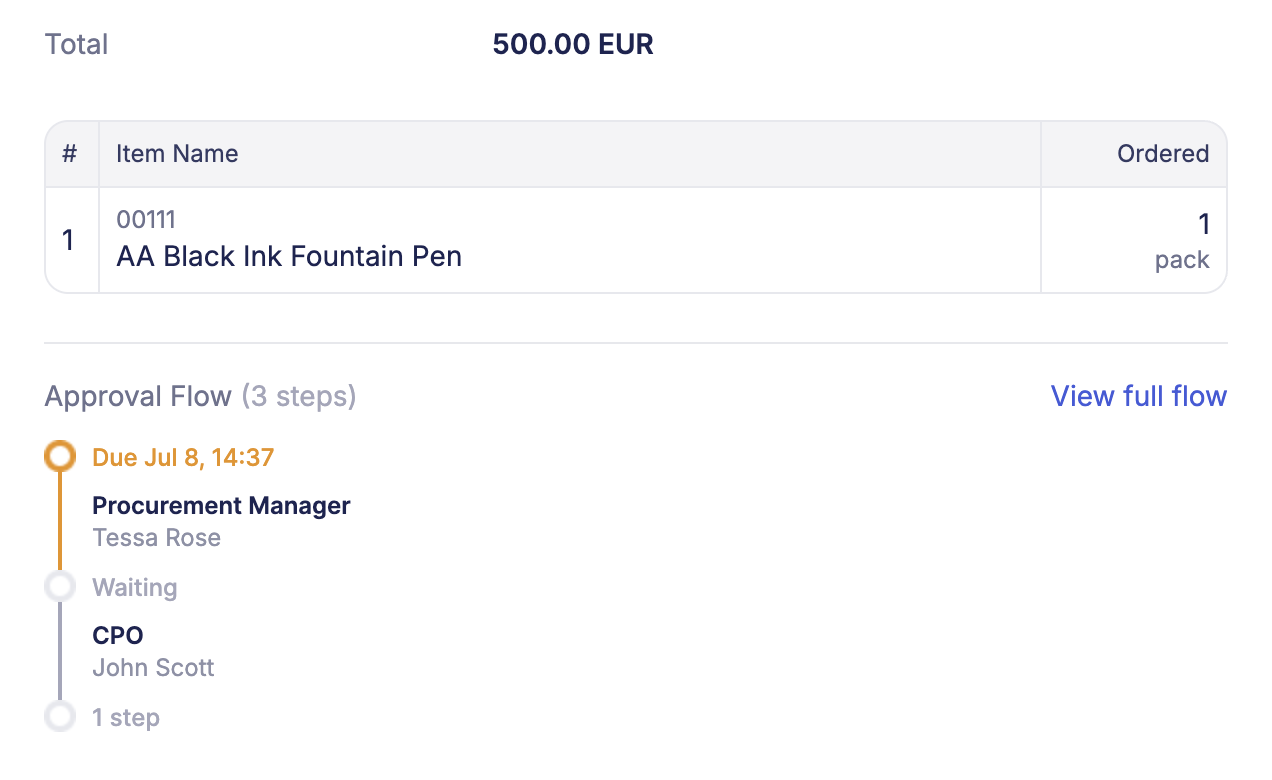
With this update, you get the needed context directly in your inbox without opening the document in Precoro. Emails that notify you of approval-related actions on a document now display the adjacent steps in the approval workflow.
You’ll see the approval steps in these notifications:
- Document is waiting for your approval
- Document is changed and awaiting your approval
The emails show the previous and current steps; if your approval step is the first one, you’ll also see the following step. To view the entire approval chain, click View full flow to open the document.
Clean Up Overdue Documents with Custom Frequency
You can now choose how fast overdue documents lose relevance according to your business processes.
Navigate to Configuration → Basic Settings → General Settings and find the Automatically Close Old Overdue Documents checkbox. When it’s enabled, use the selector to pick how long overdue documents should stay in your lists. Press Save to apply the changes.
Once a document has been overdue for longer than the selected period, Precoro will assign it the Closed status. These documents won’t appear in Overdue infocards, helping your team focus on what currently needs attention.
Easily Order Items via Mobile with Favorite Lists and Bundles
Precoro mobile app functionality now includes favorite item lists and item bundles.
Save frequently ordered items to personal custom lists or arrange bundles to:
- Browse the item catalog efficiently;
- Add items to frequently repeated or similar orders faster;
- Always have easy access to popular goods and services.
Use this functionality in the newest version of the app, available globally on July 10.