
TABLE OF CONTENTS
Record Your Spend Accurately and Quickly Using Consolidated Invoices
We’re working hard to deliver the most highly requested features. This time, we’ve added the ability to create an invoice from multiple orders.
Give this feature a try to:
- Correctly add consolidated invoices issued by your suppliers to Precoro.
- Simplify the approval process by reducing the number of documents.
- Speed up invoice processing to avoid delays and extra fees.
Try using this feature by following the familiar process explained here. When you press the Add from PO button on the Invoices page, you’ll be able to pick POs from the list. It’s only possible to create an invoice from POs that have the same type, supplier, currency, and budget.
💡 Please reach out to your Customer Success Manager to enable this feature.
Track Approval Efficiency from the Dashboard
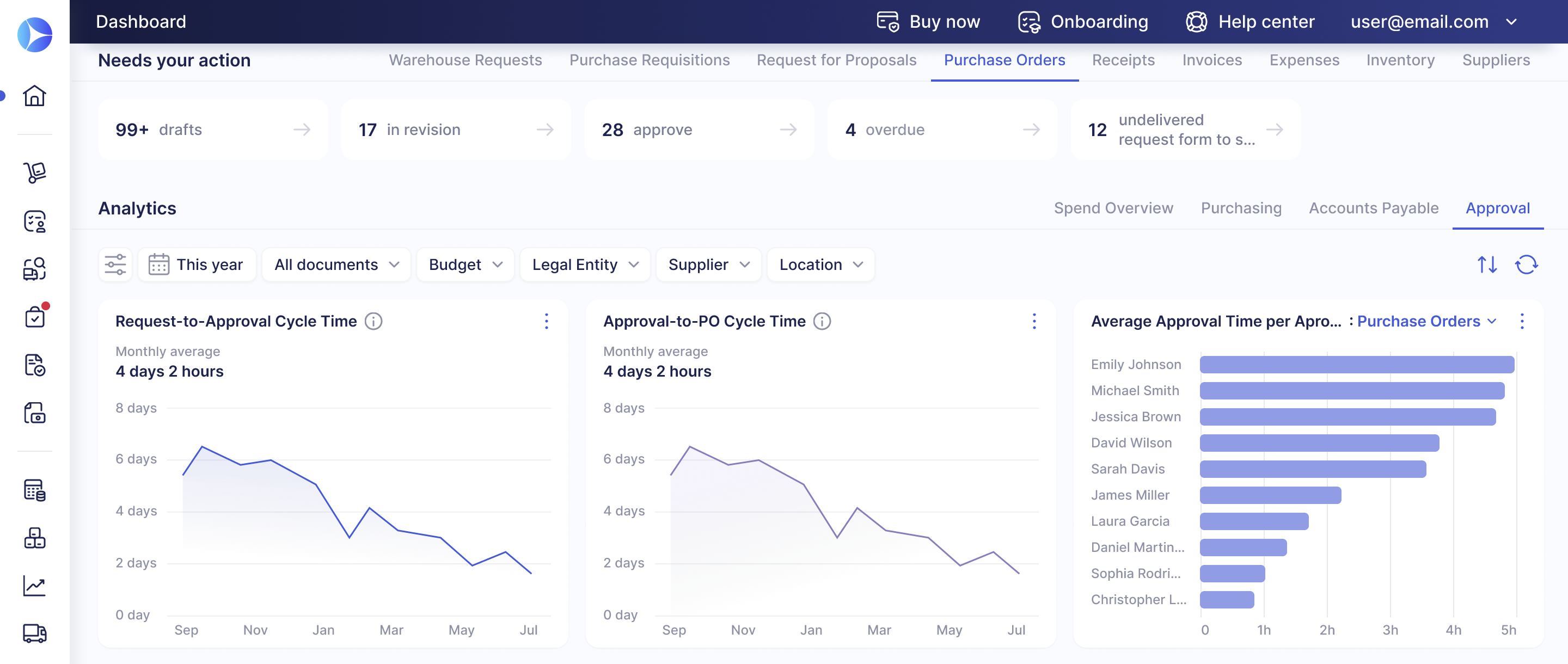
To help you better understand the performance of your approval processes, we’ve added new charts to the Dashboard. On the Purchasing tab, you’ll now see two new metrics:
- Requisition-to-Order Cycle Time
- Procure-to-Pay Cycle Time
Moreover, we’ve created a separate Approval tab dedicated to approval performance. It includes the following charts:
- Approval-to-PO Cycle Time
- Average Approval time per approver
- Approval TAT
- Approval SLA Compliance Rate
- And more!
Please note that the Approval TAT and Approval SLA Compliance Rate charts are only available if Approval SLA is configured. They are visible to users with these roles: Super User, Configuration, and Admin (full access).
If you’re unsure what each chart represents, hover over the information icon ⓘ for more details. We’ve also prepared this article to help you get the most out of dashboard features.
Keep Documents in Order After Disabling Modules
We improved PO cancellation logic to better support changes in your processes and ensure your documents stay relevant.
You can now cancel purchase orders along with their related documents if the corresponding modules (Invoices or Receipts) have been deactivated. Here’s how it works:
- A company used the Invoice module and had POs with related invoices.
- They later decided to stop tracking invoices in Precoro and deactivated the module.
- If they cancel a PO, the related invoices will be canceled too, along with payments and credit notes. They’ll also be canceled in integrations.
The same process applies if you deactivate the Receipts module after creating receipts for purchase orders.
However, while the Receipts and Invoices modules are active, you’ll need to cancel the related receipts and invoices before canceling a PO.
Set Precise Rules for Receiving Items
Precoro now lets you specify which items you need to receive for each order. The new rule helps you track item deliveries more precisely and offers greater flexibility when working with items that don’t require receipts.
The item-level rules are enabled by default. To change this setting, please navigate to Configuration → Basic Settings → Document Setup → Purchase Orders and enable or disable the Item-Level Receiving Rules in Orders checkbox.
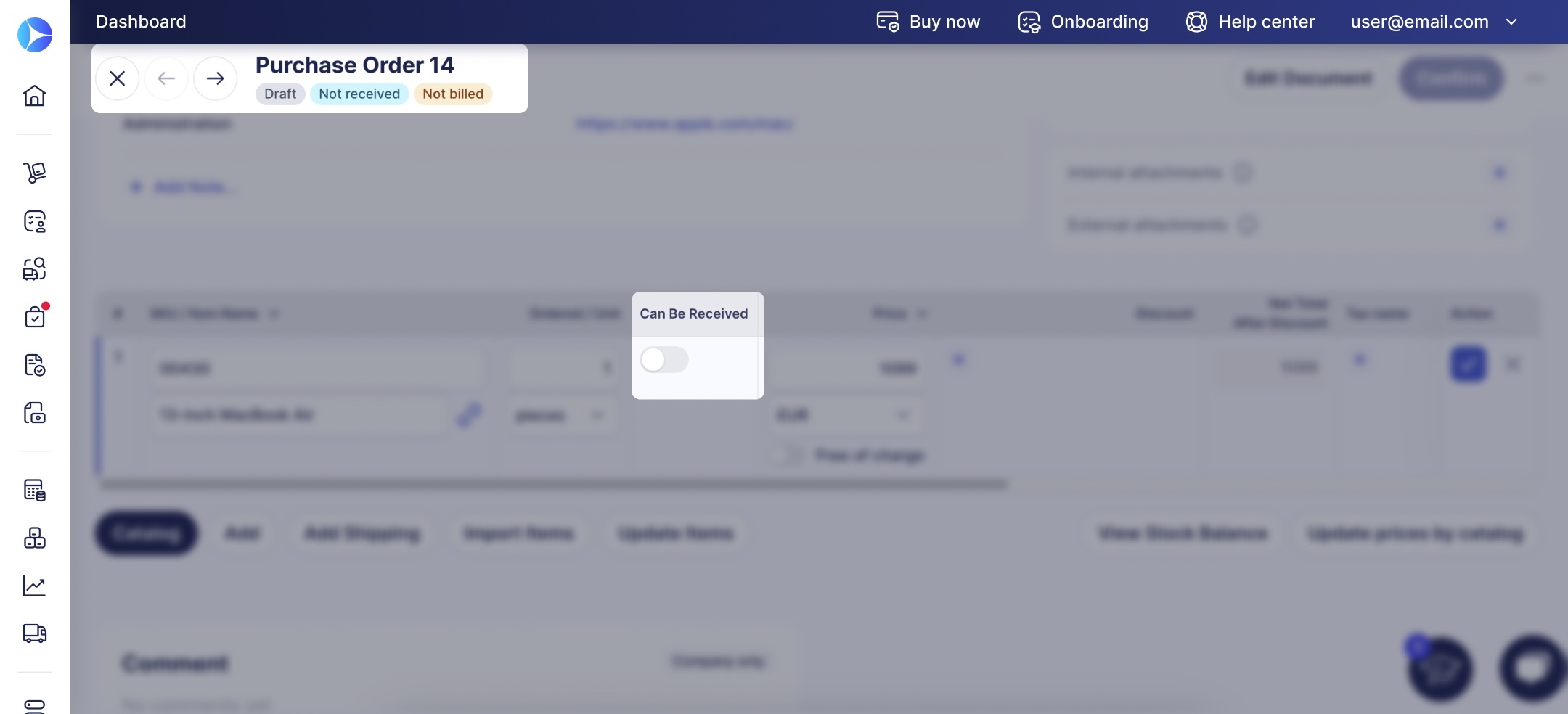
When this setting is active, you’ll see a new Can Be Received field opposite Inventory, Non-Inventory, and Service-type items in orders. If you disable this toggle (select No) for any of the items, you won’t need to add them to receipts for this order to reach the Received status.
Easily Look Up Split Documents with Split Costs Filter
To help you find and process documents faster, we’ve added the ability to filter document lists to only show split orders and invoices. This feature is available if you have Split Costs enabled.
The filter is available on the following pages:
- Purchase Orders
- Invoices
- Add Invoice from PO
- Add Receipt
And in these reports:
- Purchase Order Export by Document
- Purchase Order Export by Item
- Invoice Export by Item
- Custom Purchase Order & Invoice reports