
TABLE OF CONTENTS
How to Delete a User from the Approval Page
💡 Please note: If another user needs to take over the step, replace the approver instead of deleting them. You don't need to rebuild the step, see how to do it in How to Replace an Existing Approver.
To delete a user from the approval workflow, follow these steps:
Step 1: Open the Approval Workflow
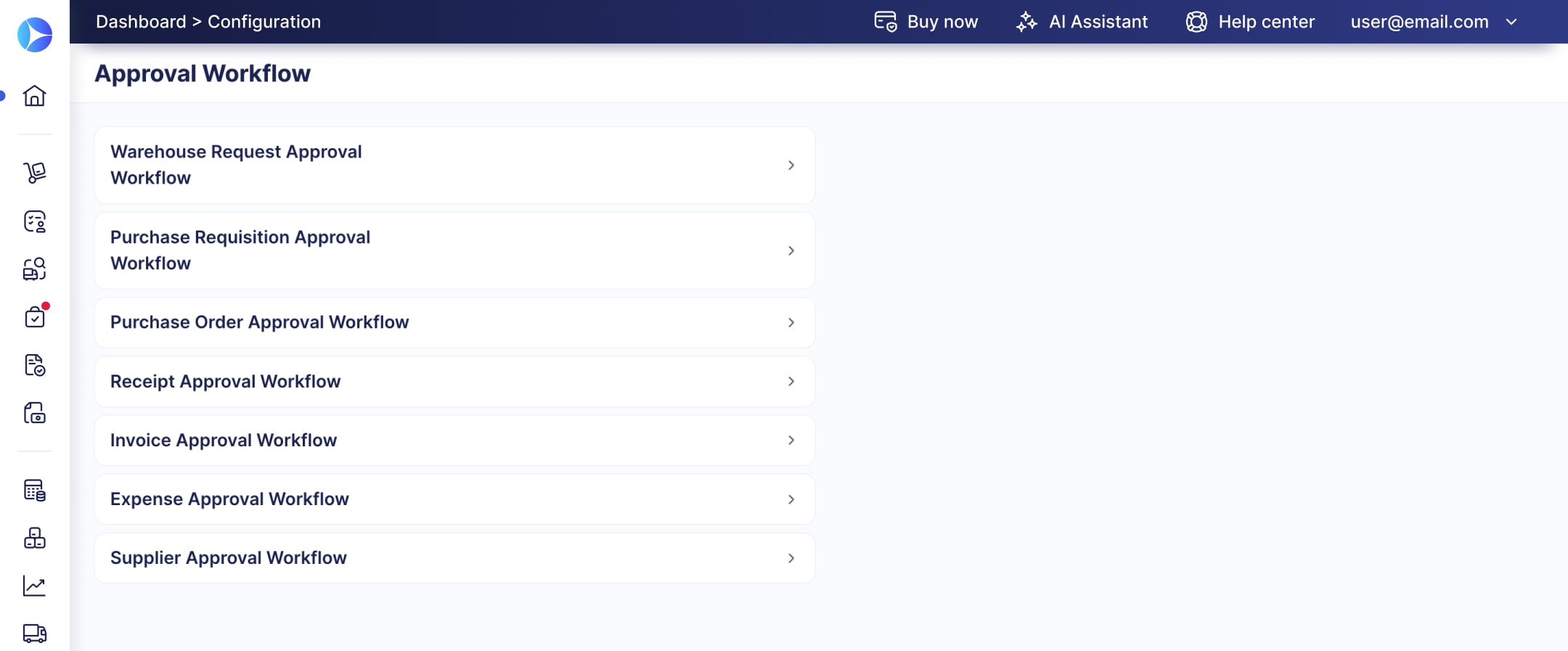
- Go to Configuration → Approval Workflow.
- Select the workflow for the document type you need, for example, purchase orders.

Step 2: Delete the Approver
- Find the step and the approver card you want to remove. Use Show Filters to find the user faster in a large workflow.
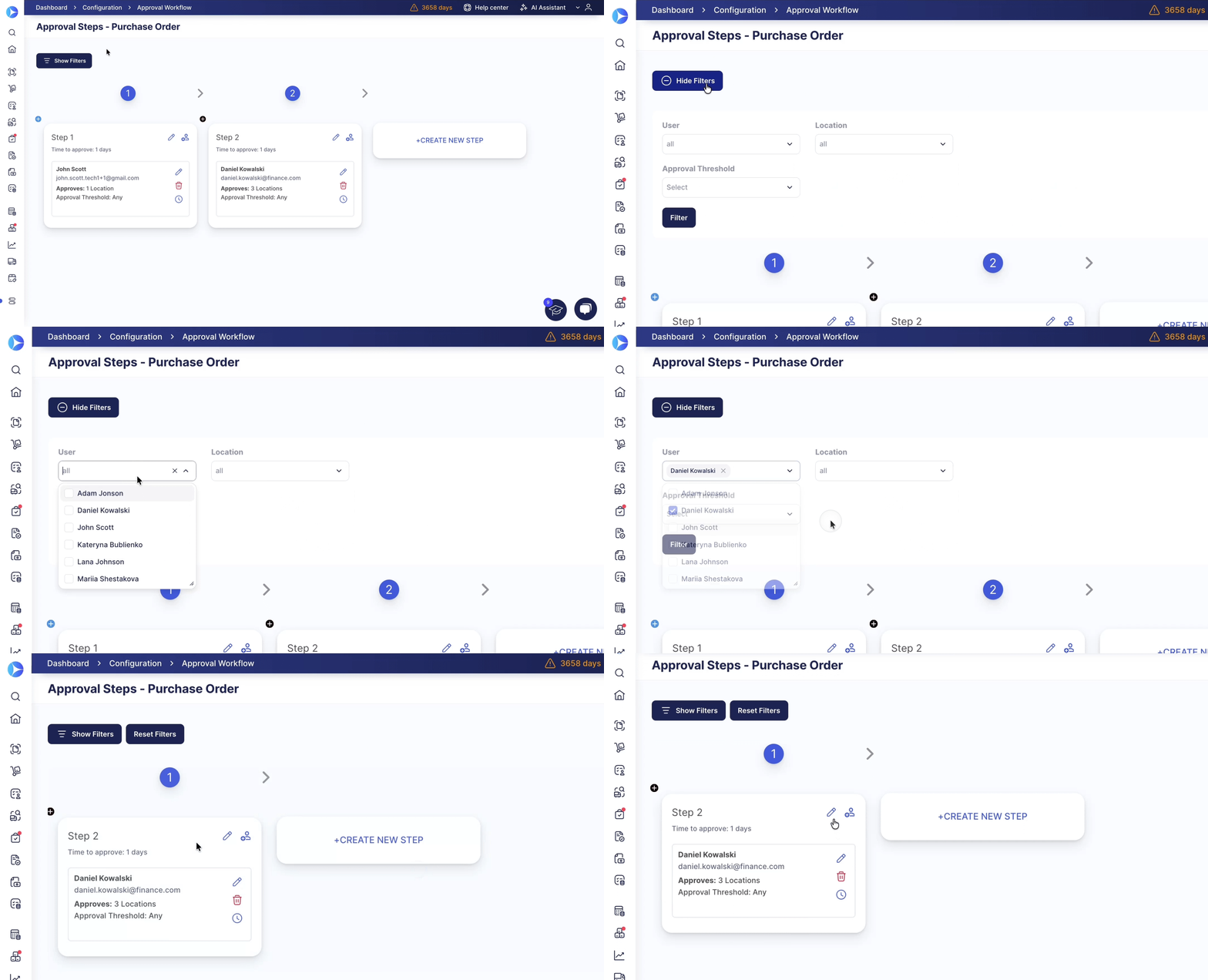
- Click the red delete icon on the right side of the approver card.
- Click Delete to confirm.
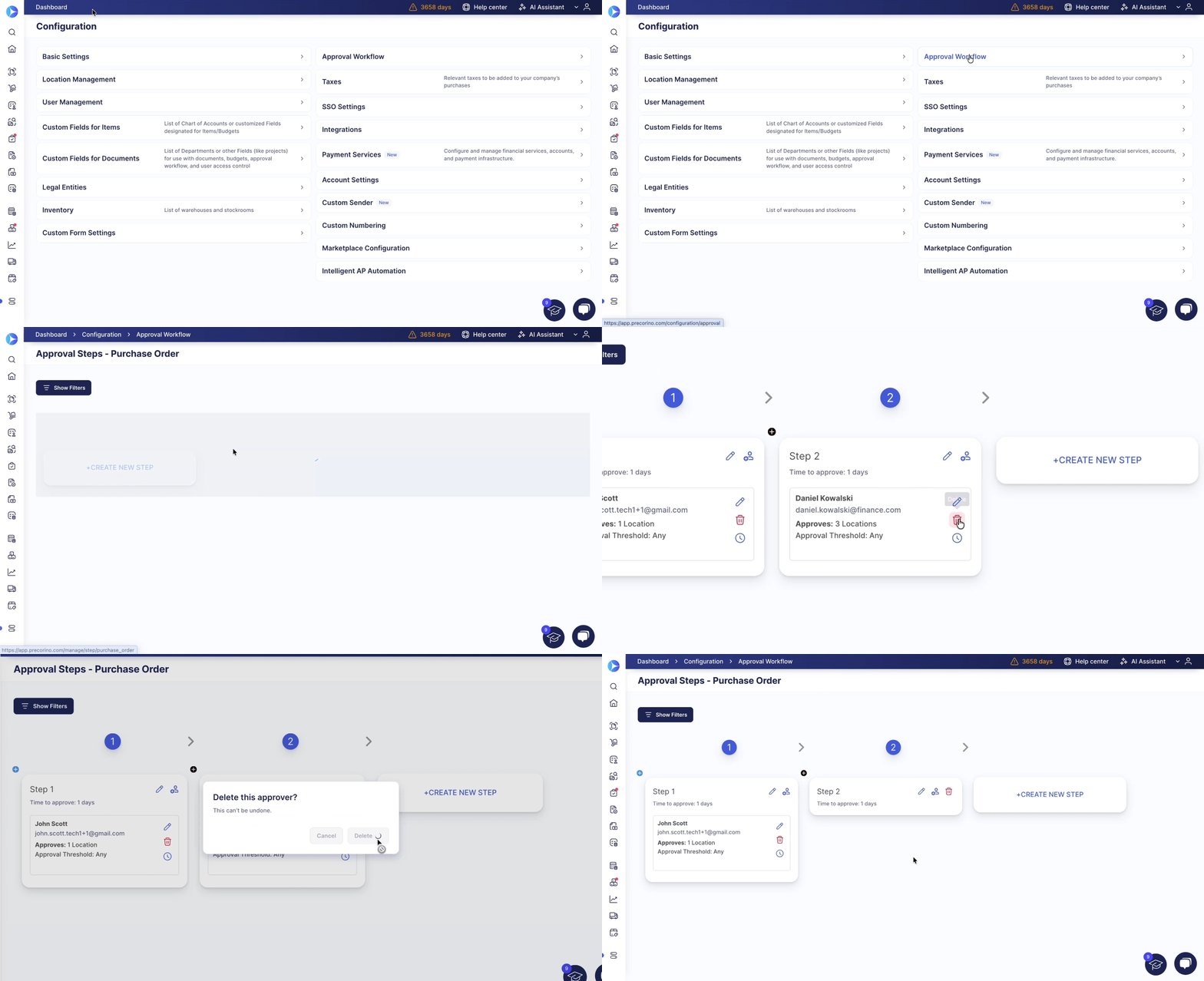
You can delete an approver even if documents are waiting for their approval. Before you confirm, the dialog shows how many Pending documents only this approver can process. Click view the list to see them.
After you delete the approver, Precoro recalculates the approval route of each pending document:
- If other approvers on the step have access to the document, they approve it as usual.
- If the deleted user was the only approver for the document on that step, Precoro skips the step and moves the document to the next one.
- If that step was the document's last one, the document gets Approved status automatically.
💡 Please note: When you have taken the rights and access from the last Approver, the document will automatically gain Approved Status.
How to Delete a User by Deactivating from User Management
If the user is leaving the company, deactivate them on the User Management page instead of deleting them step by step. Precoro removes them from every approval workflow automatically and lets you choose who takes over each of their approval steps.
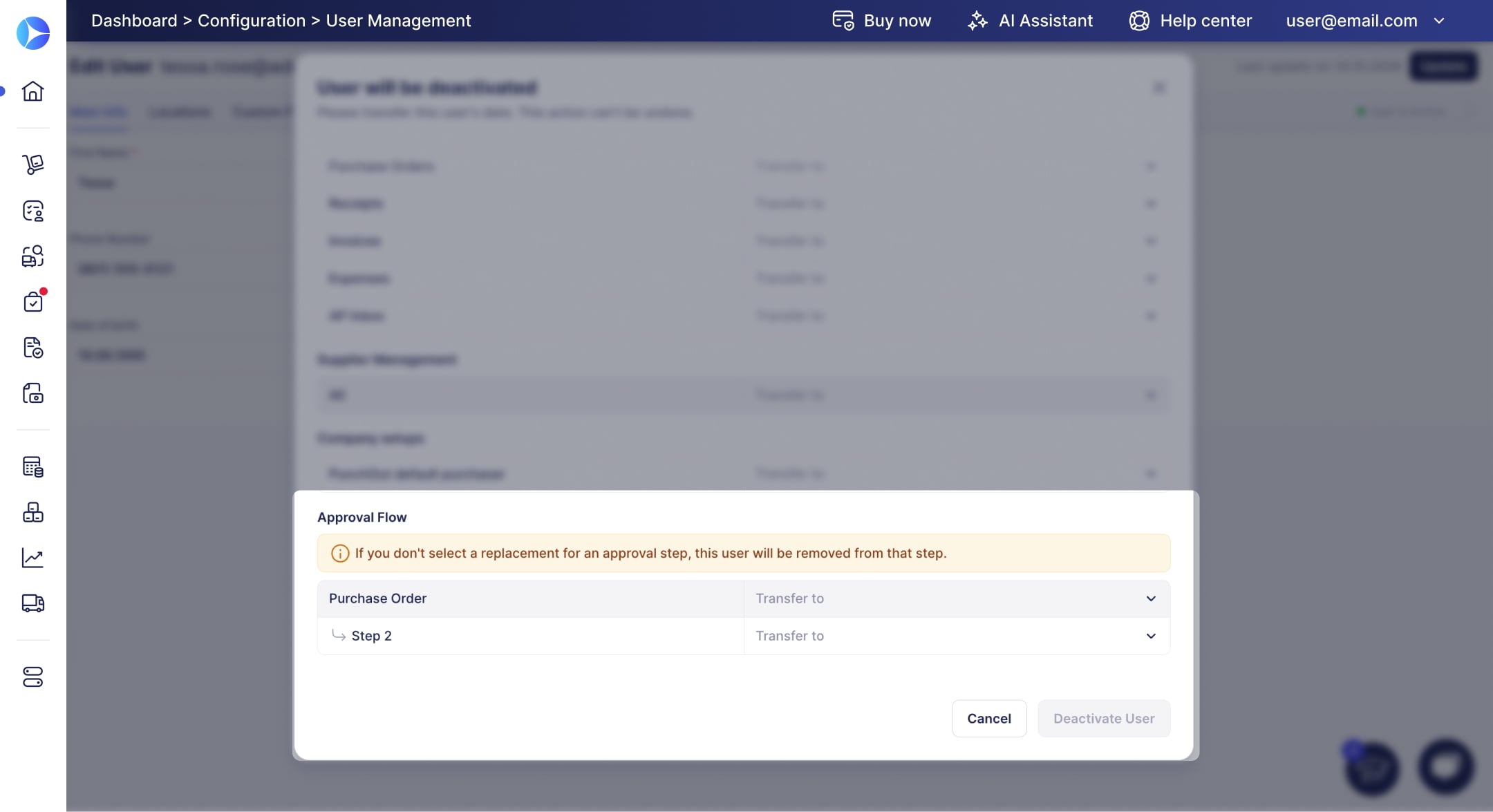
See How to Deactivate a User in Precoro for the full steps, and What Happens to Approval Steps to learn how Precoro handles their pending documents.
💡 To take a user off approvals without deactivating them, remove their Approve role. Precoro lets you replace them on each step or remove them from it.