TABLE OF CONTENTS
Approval Performance Report Overview
Approval Performance reports help you analyze the efficiency of your approval workflow for any document type. Depending on the configuration, you can see approval steps in as much detail as necessary to:
- assess approver performance,
- evaluate your current approval workflow setup,
- track specific step statuses.
How to Create an Approval Performance Report Template
To create an Approval Performance custom report, please ensure you have the Reports role and follow the steps below.
- Navigate to the Reports page → Saved Reports section and click the Create a Custom Report button.
- Name the report to easily use it later.
- In the Document type field, select Approval Performance.
- Select what data to include in the report in the right-hand panel. Please pay attention to these columns:
- Approval Step TAT: The time it took the approver to complete the step (turnaround time).
- Approval Step Due Date: The expected completion date for this step (if an SLA is configured).
- Approval Step Overdue Days: The number of days the step’s been overdue (if an SLA is configured and the expected approval time has passed).
- Once ready, press Save and create.
How to Generate an Approval Performance Report
Once you've created a template, start using it to review the data:
- Navigate to the Reports page → Saved Reports section and click the needed report.
- Select the filters. The following ones are mandatory:
- Document type—the report can only contain approval steps for one document type.
Please note that the report will be empty if you've not configured the approval workflow for the corresponding module. - Approval step status—you can select all statuses or limit the data.
The report doesn't include steps that haven't been activated yet. All completed and pending steps are displayed as separate lines. - Creation date—document creation date range. The report will include approval steps for documents created within this period.
- Document type—the report can only contain approval steps for one document type.
- Press Run Report. You can then export and share it as described in this article.
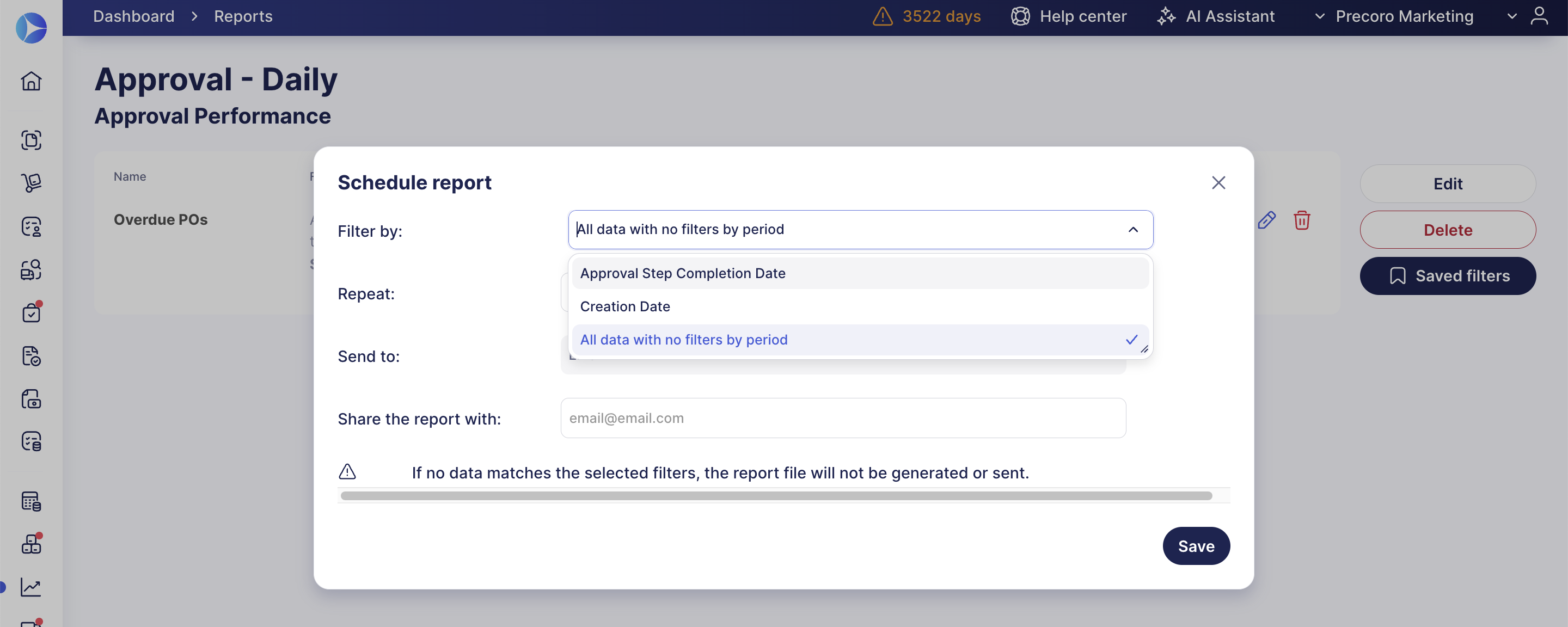
💡Pro tip: If you schedule this report to run regularly, you can select All data with no filters by period in the Filter by field when setting up the schedule. This way, the report captures the documents you need every time it runs, instead of being limited to a fixed date range.